
Open a blank box. Paste something in. Ask a question. Close the window. Tomorrow, start from zero again.
That is level one, and it works. That is the problem. It works well enough that people stay there for years while others, with the same tools and the same hours, get far more out of it. The gap is not talent and it is not smarter sentences. It is setup.
What you will be able to do
Place yourself on a five level ladder without guessing high.
Name the single next move for your level, instead of trying to do everything.
Spot the five habits that keep people stuck on level one.
Sort your last 20 AI sessions into three buckets and see what your mix is missing.
Run five ready-made prompts that each fix one stuck habit.
This is for anyone who uses AI most days and suspects they are only scratching at it. No tech background needed. You place yourself, then you take one step.
The proof behind this
Liz Elliott runs 33 active social brands and runs her whole operation on AI automations across several computers. That is the top of this ladder, and it was built one process at a time by someone who never studied computer science.
What this lesson is
Lesson 1.3 of the free AI for Entrepreneurs course, in Module 1: What AI Actually Is.
Most people who use AI use it the same way. Open a blank box, paste something in, ask a question, close the window. Next time, start from zero again.
That works. It is also the first rung of a ladder, and most people never find out there are four more.
Think about someone learning to cook. Week one you follow one recipe at a time and check the page after every step. Later you have five meals you can make without looking. Later still you keep a stocked kitchen, so dinner starts with what is already in the fridge instead of a trip to the shop. Same person, same hours, very different results. Setup did that, not extra talent.
AI works like that. The people getting the most out of it are not typing smarter sentences. They built a setup that already knows their job, their voice, their team, and their tools. So a short request like "write the Monday update" produces a finished report, because everything it needs is already loaded.
This lesson does three things. First, it shows you the five levels so you can find your real one. Read it honestly, because most people rank themselves a rung too high. Second, it gives you the one move that lifts you to the next level, and only that move. Third, it gives you a way to check the balance of your AI time, so you neither grind the same three prompts forever nor chase shiny new ideas that never turn into anything.
You do not need to be on level five. You need to know your rung and take one step.
From Liz's playbook: Liz Elliott runs 33 active social brands and runs her whole operation on a set of AI automations spread across several computers. That is the top of this ladder, and it was built one process at a time.
New here? Use the free AI for Entrepreneurs course outline to read this series in the best order.
Do it
Part 1: Find your real level
Read all five. Pick the closest match, not the one you would like to be.
Level 1. One-off asking. You use AI for single tasks. Draft this email. Summarize this PDF. Give me five ideas. It feels impressive, but your actual work has not changed. You still open AI the way you open a search engine. You are probably here if you use AI when you happen to remember, and you do not save prompts anywhere.
Level 2. Saved prompts. You have prompts and Skills you reuse every week. You are faster on your own, but nothing around you has changed. You are probably here if you reuse a few prompts and would notice if AI stopped working for a day.
Level 3. Whole tasks. You have Projects and workflows that handle entire jobs, like drafting briefs, processing customer feedback, or building reports. You are probably here if there are two or three tasks you no longer do by hand, and you use Projects instead of blank chats.
Level 4. Connected and running. Your real tools are connected. Work happens in the background on a schedule instead of only when you open a chat. You are probably here if you review AI output more often than you create from scratch.
Level 5. Rebuilding. You redesign your systems as the tools change, and you spot new uses before they are obvious. You are probably here if you rebuild something monthly and other people ask you to help set theirs up.
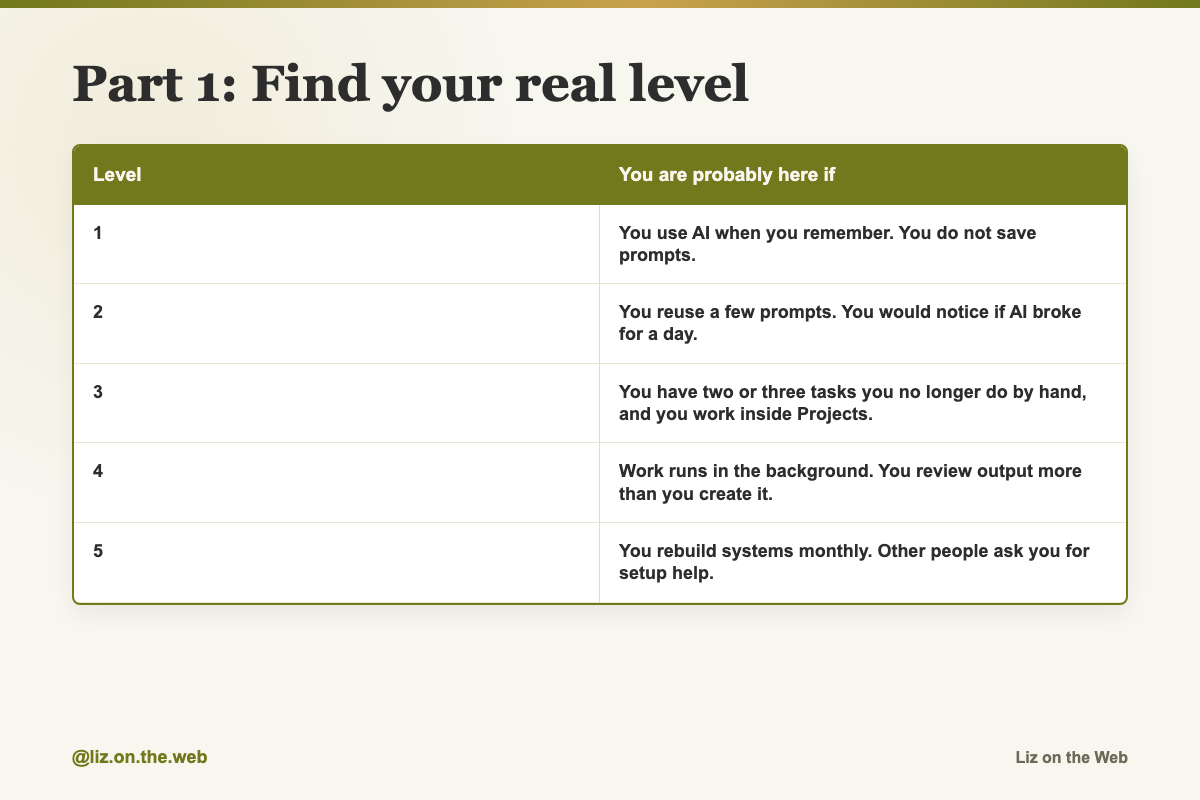
Level / You are probably here if
1: You use AI when you remember. You do not save prompts.
2: You reuse a few prompts. You would notice if AI broke for a day.
3: You have two or three tasks you no longer do by hand, and you work inside Projects.
4: Work runs in the background. You review output more than you create it.
5: You rebuild systems monthly. Other people ask you for setup help.
Part 2: Do the one move for your level
One move. Not five.
On level 1: save five prompts you reused this month. Put them anywhere you will find them again, in a notes app or a Project.
On level 2: pick one recurring task that eats more than an hour a week. Build a full Project or workflow for it. A weekly content brief, a Monday morning brief, a client follow-up.
On level 3: connect your tools. Email, files, calendar, your spreadsheets. Then set up one scheduled task. The shift you are after is work that runs without you opening a chat.
On level 4: block 30 minutes every Friday and ask one question. What did I do this week that could have been handed off? Rebuild one process a month.
On level 5: teach it. Explain your setup to five friends, post what you build, or run a small workshop. Explaining your thinking is what improves it.
Part 3: Fix the five habits that keep people on level one
These five habits show up over and over. Each has a prompt in the next section that fixes it.
Habit 1. Starting from a blank chat every time. The AI does not know your job, your day, or what you talked about last time, so every chat starts slow. Fix it with a Role Brief you paste into a Project. Use the Role Brief Builder.
Habit 2. Typing "write me an email" and nothing else. Thin prompts give plain answers, and then you spend your time fixing them. Give your role, who the work is for, the format, the tone, what good looks like, and any limits. Use the Prompt Upgrader.
Habit 3. Copying and pasting out of your own apps. If AI can connect to your email, files, calendar, and chat tools, then copying text out of them by hand is work you do not need to do. Use the Email Summarizer once you have connected your mail.
Habit 4. Using AI for one small thing. If it only rewrites emails for you, you are using a sliver of it. It can also review spreadsheets, plan projects, prep meetings, build visuals, and organize messy information. Use the Spreadsheet Analyzer on one real file.
Habit 5. Never teaching it your voice or preferences. Skip this and the writing stays generic forever. Give it examples of your best writing and save the result. Use the Voice Calibrator.
Part 4: Check your mix with 60/30/10
Levels tell you where you are. This tells you how you spend the time.
The split is 60 percent repetition, 30 percent iteration, 10 percent experimentation. Dharmesh Shah, co-founder of HubSpot, shared this framework in a keynote talk.
Repetition, 60 percent. Tasks you already trust. Summarizing an article into five bullets. Drafting replies you will edit before sending. Pulling key points out of a meeting transcript. Reformatting a doc or a table. This is the biggest bucket because these tasks pay you back again and again. If AI saves you 20 minutes a day here, that is roughly 80 hours over a year of workdays.
Iteration, 30 percent. Taking prompts that already work and making them better. Same task, better ask. Add a quality bar to a prompt. Test three opening lines. Move a prompt into a Project so it carries context every time.
Experimentation, 10 percent. Brand new ideas where you do not know if they will work. Most will fail. Some teach you a lot. The ones that work graduate into your 60 percent.
Now audit yourself. It takes about ten minutes.
Open your AI history and list the last 20 things you used it for.
Tag each one R, I, or E. Be honest. Something is not experimentation just because it felt fun.
Compare your mix to 60/30/10. Almost all R means you are using AI but never improving it. Almost all E means you are chasing ideas and never banking the time savings.
Block 30 minutes a week for whichever bucket is empty.
Copy and paste
Role Brief Builder
Use this when every chat starts from zero. It fixes habit 1.
I need you to help me build my Role Brief, which is a set of custom instructions I can paste into a Claude Project so you always know who I am and what I do.

Ask me these questions one at a time:

1. What is your job title, and what do you actually do day to day?
2. Who do you report to, and who reports to you?
3. What are your top 3 priorities right now?
4. What kind of work do you usually ask AI to help with?
5. How do you like things formatted? For example: bullets vs. paragraphs, formal vs. casual, short vs. detailed.
6. Any tools, platforms, or systems you use daily?

After I answer all 6, write me a polished Role Brief I can paste directly into my Claude Project custom instructions.

Make it concise and clear.
Prompt Upgrader
Use this when your prompts are too short. It fixes habit 2.
I am going to give you a basic prompt I normally use.

Your job is to upgrade it into a stronger prompt that gets much better output.

For every prompt I give you, rewrite it to include:

- My role and context. Ask me if you need this.
- Who the output is for.
- The specific format and structure I want.
- The tone and style.
- What "good" looks like. Ask me for an example if needed.
- Any constraints, like word count, things to avoid, or required details.

Show me the before and after side by side so I can see the difference and learn the pattern.

Here is my first prompt to upgrade:

[PASTE YOUR BASIC PROMPT HERE]
Email Summarizer
Use this after you have connected your mail, and read the warning in Watch out first. It fixes habit 3.
Check my Gmail for emails from today.

For each email that actually needs my attention, give me:

- Who it is from
- One-line summary
- Whether I need to reply, just read it, or can skip it
- If I need to reply, draft a short response for me

Skip newsletters, notifications, and marketing emails completely.

Only show me what matters.

Start with the most urgent and work down.
Spreadsheet Analyzer
Use this when you want AI to do more than write emails. It fixes habit 4.
[Upload your spreadsheet]

Analyze this data and give me:

1. The 3 most important trends you see.
2. Anything that looks unusual or concerning.
3. What is improving and what is declining.
4. 3 specific recommendations based on the data.
5. A 2-sentence summary I could paste into a Slack message to my team.

Be specific.

Use actual numbers from the data.

Do not give me generic advice.

Give me insights tied to what is actually in this spreadsheet.
Voice Calibrator
Use this when the writing does not sound like you yet. It fixes habit 5. You need three writing samples.
I am going to paste 3 examples of my best writing below.

Analyze my voice and writing style.

Then create a "Voice Profile" I can save and reuse.

Your Voice Profile should capture:

- My typical sentence length and structure
- Words and phrases I use often
- My level of formality
- How I open and close communications
- My default tone, such as direct, warm, casual, or authoritative
- Things I never do, like jargon I avoid or patterns I do not use

After the profile, write me a short paragraph about any topic in my exact voice so I can check if it sounds like me.

Here are my 3 writing samples:

[PASTE SAMPLE 1]

[PASTE SAMPLE 2]

[PASTE SAMPLE 3]
Two lines that upgrade a prompt you already use
Add either one to a prompt in your 30 percent iteration bucket.
Before answering, find one weakness in this.Give me a full breakdown, not a summary.Four experiment starters
Pick one for your 10 percent bucket. They are meant to be a stretch.
What if I had Claude write a script for a podcast episode I haven't recorded yet?
What if Claude analyzed my last 12 months of decisions and told me what patterns I keep falling into?
What if I built a Skill that interviews customers via DM?
What if I had Claude design the brand identity for an unannounced product?
Context in a single line
The smallest possible upgrade. Compare these two on the same piece of text.
Rewrite this.Rewrite this for my team in my normal voice.Watch out
Ranking yourself too high
Almost everyone does. If you cannot point at a saved prompt, you are on level one, and that is a fine place to be. The ladder only helps if you stand on the right rung.
Building workflows before you have saved a single prompt
Skipping rungs wastes time. Save the prompts that already work first. Those are what the workflow is made of.
Connecting tools before you know the task
A connected inbox does not help if you have not decided what you want done with it. Get the workflow clear, then connect.
Handing your inbox over without thinking about privacy
Connecting mail, files, and calendar means the AI can read real messages, real client details, and real attachments. Before you turn that on, check your employer's rules, and know that what the AI reads is going to the AI company's servers. Connect the account you are comfortable exposing, not every account you own.
Letting drafted replies go out unread
The Email Summarizer writes replies for you. It does not send them, and you should never let a drafted reply leave without reading every line. A wrong tone in a real client thread costs more than the ten seconds you saved.
Trusting an auto-pulled report without checking it
When a weekly update is built from your real mail and calendar, it can quietly miss something or misread a thread. Skim the source before you send the summary on.
Treating the setup as finished
The tools change. Once you are running things in the background, rebuild one process a month or the setup slowly rots.
Guessing your mix instead of checking it
Most people believe they do all three buckets. Most do not. Look at the actual history before you decide.
Check yourself
[ ] I picked my real level, not the one I want.
[ ] I can say the one move for my level out loud.
[ ] I saved at least five prompts I reuse.
[ ] I ran the Role Brief Builder and saved the result somewhere reusable.
[ ] I upgraded one thin prompt with the Prompt Upgrader.
[ ] I used AI for one task bigger than an email.
[ ] I listed my last 20 AI sessions and tagged each R, I, or E.
[ ] I booked 30 minutes this week for whichever bucket was empty.
Do this now
Open your AI history, look at the last 20 things you used it for, and tag each one R, I, or E. Your gap will be obvious in under ten minutes.
Keep going
Next in AI for Entrepreneurs:
Part 4: Starting the right way, and the first week that works
Part 5: The honest picture: energy, tiredness, attention, and where this goes
Part 6: Models explained, and why one favorite is a trap
Every part of this course sits in reading order in the free AI for Entrepreneurs course outline.
This part is free, start to finish. Subscribing keeps the rest of the course coming and opens the paid parts.
Tell me in the comments which level you landed on, and what your one move is, and I will point you at the right next part.